Online accountants save time for UK businesses because they turn routine finance work into a structured digital process rather than a series of manual interruptions. That matters more now that HMRC is moving more sole traders and landlords into Making Tax Digital for Income Tax.
TL;DR: Summary
- Online accountants save time for UK businesses mainly by automating bookkeeping, maintaining HMRC-ready digital records, and handling Making Tax Digital quarterly updates through compatible software.
- HMRC’s MTD for Income Tax rules start from 6 April 2026 for relevant sole traders and landlords with total self-employment and property income above £50,000, then above £30,000 from April 2027 and above £20,000 from April 2028.
- Quarterly updates are summaries of income and expenses, not full tax returns, but they still require clean digital records and regular reviews.
- The time saving is meaningful: FSB says the average small business spends 52 hours a year on tax compliance work, with an average cost of £4,100 including software, accountants, and internal resources.
- The best online accountants combine cloud software, review workflows, VAT and payroll support, and proactive deadline management so owners spend less time chasing receipts, fixing coding errors, and answering HMRC-related admin.
The real benefit is not only speed. It is fewer handoffs, fewer missed deadlines, and better visibility across bookkeeping, VAT, payroll, tax, and reporting in one connected workflow.
Why do online accountants matter more for UK businesses now?
Yes. HMRC and Xero have made online accounting a practical compliance tool, not just a convenience.
UK compliance is becoming more digital, and that changes where the time goes. HMRC has confirmed that from 6 April 2026, Making Tax Digital for Income Tax applies to relevant sole traders and landlords with total self-employment and property income above £50,000. The threshold then falls to £30,000 from April 2027 and £20,000 from April 2028. That means more businesses will need digital records and software-led reporting, even if they are small.
A common misconception is that quarterly updates are the same as tax returns. HMRC is clear that they are not. They are periodic summaries created from digital records, which is why setup matters so much. If records are clean from day one, each quarter becomes an administrative check rather than a scramble.
“CBM Accounting provides MTD for Income Tax software configuration and management, including Xero MTD for Income Tax and QuickBooks integration.”
That is where online accountants save time. They set up compatible software, standardise categories, and create a repeatable review cycle so the owner is not rebuilding the books every quarter.
How do online accountants compare with traditional high street accountants?
Online accountants are usually faster for routine work, while high street firms can still suit paper-heavy or face-to-face preferences.
The biggest difference is operating model. An online accountant works inside cloud platforms, shared document portals, and approval workflows. A traditional local accountant may still offer excellent advice, but if documents move by email, post, or ad hoc spreadsheets, the business loses time in chasing, version control, and rekeying.
If your business already uses Xero, QuickBooks, or bank feeds, online support tends to be quicker because the accountant sees the same live data you do. If you rely on physical invoices, cash records, or in-person signatures, a high street setup may feel easier at first, though it often slows month-end work.
The trade-off is simple. Online models reward standardisation. Traditional models may feel more personal to some owners. Time savings usually favour the online route once records are digital and the workflow is stable.
What are the 12 main ways online accountants save time for UK businesses?
They save time in predictable, repeatable places: HMRC admin, data entry, reconciliations, reporting, and deadline control.
Most of the gain comes from removing low-value tasks from the owner’s week and moving them into software-backed routines.
- Automating bank feeds and transaction imports
- Capturing receipts digitally instead of manual filing
- Reconciling accounts continuously, not once a year
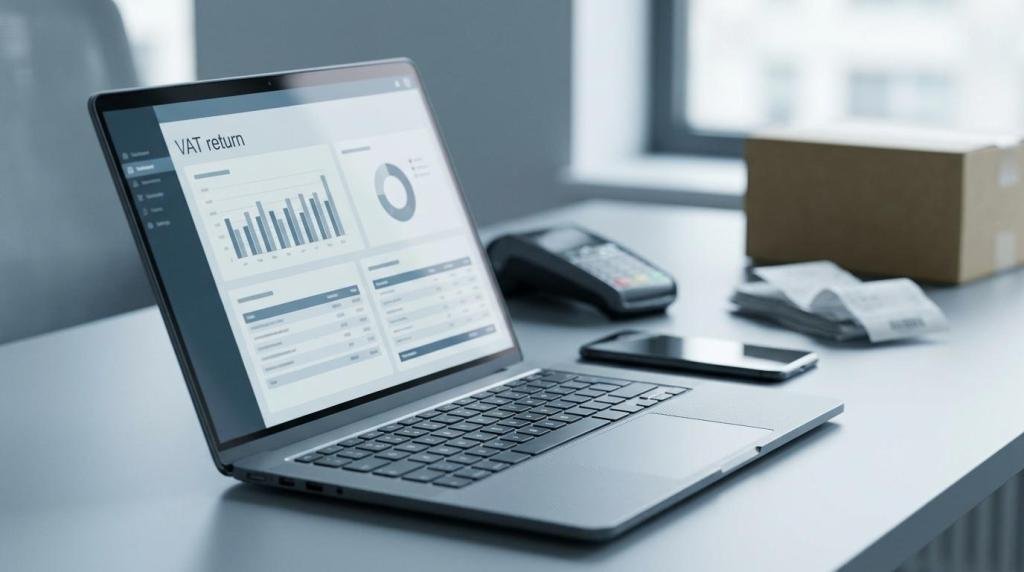
- Preparing VAT returns from live bookkeeping data
- Keeping digital records ready for HMRC checks
- Creating quarterly updates through compatible software
- Chasing missing information through shared portals
- Running payroll, pension, and RTI tasks on schedule
- Producing management reports without rebuilding spreadsheets
- Handling Companies House and HMRC filing calendars
- Flagging tax issues earlier through quarterly reviews
- Outsourcing repeat finance admin like bookkeeping and back-office tasks
The pattern is worth noticing. Online accountants do not save time by one dramatic change. They save it by removing dozens of small delays that interrupt normal trading.
How do online accountants automate bookkeeping step by step?
They automate bookkeeping by connecting live data, applying rules, and reviewing exceptions rather than typing everything manually.
Step 1 is data capture. The accountant links bank feeds, payment platforms, and invoice apps so transactions enter the ledger automatically. Step 2 is rules and coding. Regular items such as software subscriptions, rent, and common supplier costs are categorised consistently. Step 3 is reconciliation and review. The accountant checks exceptions, duplicate risks, and unusual postings before month end is closed.
ICAEW has linked automation in finance functions with more accurate and timely data, better controls, and less time spent on repetitive work. That matters because manual bookkeeping rarely fails in one big way. It fails through tiny repeated tasks: copying invoice details, hunting VAT receipts, and fixing coding drift across the year.
“CBM Accounting says its digital solution saves cost, time, and effort through increased efficiency and automation.”
A useful reality check is this: automation does not remove the need for judgement. It removes the need to type the same kind of transaction hundreds of times. If a business has complex stock, mixed VAT treatment, or intercompany charges, human review still matters.
How do online accountants handle Making Tax Digital quarterly updates step by step?
They handle MTD by keeping records digital from the start, reviewing them each quarter, and submitting totals through software.
Step 1 is software readiness. Compatible software must create and preserve digital records. Step 2 is quarterly housekeeping. The accountant reviews categorisation, missing items, and property or self-employment splits before totals are generated. Step 3 is submission. The software adds up the digital records every three months and sends the quarterly update to HMRC.
This is where owners often save the most time. Without that workflow, each quarter becomes a mini year-end. With it, the update is mainly the outcome of work already done.
Another common mistake is waiting until the filing month to organise records. That creates avoidable pressure and weakens tax planning. CBM Accounting, as one neutral example, describes quarterly reviews as a point for proactive tax planning, which is exactly how many businesses should treat them.
HMRC has also said it will not apply penalty points for late quarterly updates during the 2026 to 2027 tax year. After that year, late updates can trigger penalty points, and a £200 penalty applies at four points. So the early years are a setup window, not a reason to delay.
Which is faster for most SMEs: DIY bookkeeping or an online accountant?
For most growing SMEs, an online accountant is faster once transactions, VAT, or payroll become regular.
DIY bookkeeping can work for a sole trader with low volume, simple expenses, and no employees. The problem is that owners rarely count the time correctly. FSB says the average small business spends 52 hours a year completing tax liabilities, with an average cost of £4,100 including software, accountants, and internal resources.
If the owner’s own time drives sales, delivery, or client service, those 52 hours are not neutral. They carry an opportunity cost. If bookkeeping is pushed into evenings or weekends, errors also become more likely.
A practical test helps. That distinction is broadly consistent with Evisory’s explanation of what a Xero bookkeeper handles versus an accountant, especially for businesses that find software alone stops being efficient once VAT, payroll, and multiple revenue streams enter the picture. If your business has recurring suppliers, VAT returns, staff payroll, director loans, stock, or multiple revenue streams, an online accountant usually becomes faster than DIY quite quickly. If none of those apply and turnover is modest, software alone may be enough for a while.
How can you switch to an online accountant step by step?
You can switch cleanly if the handover covers access, opening balances, and the filing calendar from day one.
Step 1 is access and authority. The new accountant needs software access, HMRC authorisations, prior accounts, VAT history, payroll details, and Companies House information. Step 2 is data migration. The ledger, chart of accounts, bank rules, and opening balances should be checked before live processing starts. Step 3 is workflow design. Set deadlines for document uploads, approvals, payroll cut-off dates, and month-end reviews.
Many switchovers go wrong because the business focuses only on fees. The faster question is operational: who will upload receipts, who approves payroll, who reviews management numbers, and when? If that is clear, the transition is usually smooth.
It also helps to move outside peak filing periods where possible. A VAT quarter-end or year-end migration is possible, but it creates more pressure than a planned mid-cycle handover.
Do online accountants reduce errors as well as time?
Yes. QuickBooks and Xero reduce repeat errors when the setup is right, but review controls still matter.
Error reduction often starts with consistency. Bank rules, standard supplier coding, and reconciliations reduce duplicate postings and missing entries. Shared ledgers also cut version confusion because everyone works from the same live data rather than passing spreadsheets around.
That said, software can repeat mistakes very efficiently. A mis-set VAT rule or the wrong nominal code can flow through dozens of entries before anyone notices. The best online accountants save time by reviewing exceptions, not by trusting automation blindly.
“CBM Accounting says clients get real-time financial insights and collaboration.”
Real-time visibility matters because it shortens the feedback loop. If a director notices an odd margin or a missing cost this month, the fix takes minutes. If the issue surfaces at year-end, it can take hours.
Can online accountants help landlords, sole traders and growing companies differently?
Yes. HMRC rules affect landlords, sole traders, and limited companies in different ways, so the time-saving workflow should fit the entity.
Landlords are a clear case because MTD for Income Tax will apply by income threshold, not by company size. If rental income and self-employment income together cross the relevant threshold, digital records and quarterly updates become central. The time-saving opportunity is record discipline across rent, repairs, agent fees, finance costs, and property-level evidence.
Sole traders usually benefit most from simpler capture and fewer filing interruptions. A mobile-first process for receipts, mileage, and bank feeds often matters more than advanced reporting.
Growing companies need broader support. Payroll, VAT, management reporting, year-end accounts, Companies House compliance, and sometimes EMI share options or outsourced back-office work all create time drag. In those cases, online accountants help by joining tasks up rather than treating each one as a separate admin event.
What should you check before choosing an online accountant?
Choose the firm that fits your workflow, software, and compliance risk, not just the monthly fee.
A good online accountant should make your finance process shorter, clearer, and easier to repeat. If the service still depends on scattered email attachments and late data chasing, the model is not really saving time.
- Software fit: Xero, QuickBooks, VAT tools, payroll apps, and MTD compatibility
- Credentials: ACCA, CIMA, IFA, ICPA, or other recognised UK qualifications
- Compliance scope: bookkeeping, VAT, self assessment, corporation tax, Companies House
- Response model: named contact, review timetable, and deadlines for queries
- Reporting quality: real-time dashboards, month-end packs, and cash flow visibility
- Growth needs: outsourced finance support, cross-border capability, or sector-specific advice
One final pro tip is practical rather than technical. Ask how the firm reduces work for you in a normal month. If the answer is only about filing returns, keep looking. The best online accountants save time long before the deadline arrives.